•
Drizz raises $2.7M in seed funding •
•
Featured on Forbes
•
Drizz raises $2.7M in seed funding •
•
Featured on Forbes


Mobile functional testing verifies that each feature in app does what it is supposed to do. Login logs user in. Search returns matching results. A purchase moves through checkout and lands in order history.
It sits alongside UI testing, integration testing, and end-to-end testing, and it is easy to conflate them. The boundaries matter because same team writing all four types with same tool ends up testing everything and asserting nothing.
The rest of this piece defines mobile functional testing, separates it from adjacent test types, and gives worked examples for flows most consumer, fintech, and productivity apps ship.
Mobile functional testing is a category of testing that verifies feature behavior given an input and a starting state, feature produces expected output.
A functional test does not care what checkout screen looks like, whether button is 8px too high, or how long API call takes. Those are UI, layout, and performance concerns respectively.
Functional testing operates on three parts of app: user-facing behavior, internal business logic, and interaction between two. It excludes non-functional testing concerns: performance, security, accessibility, and load, which are covered separately.
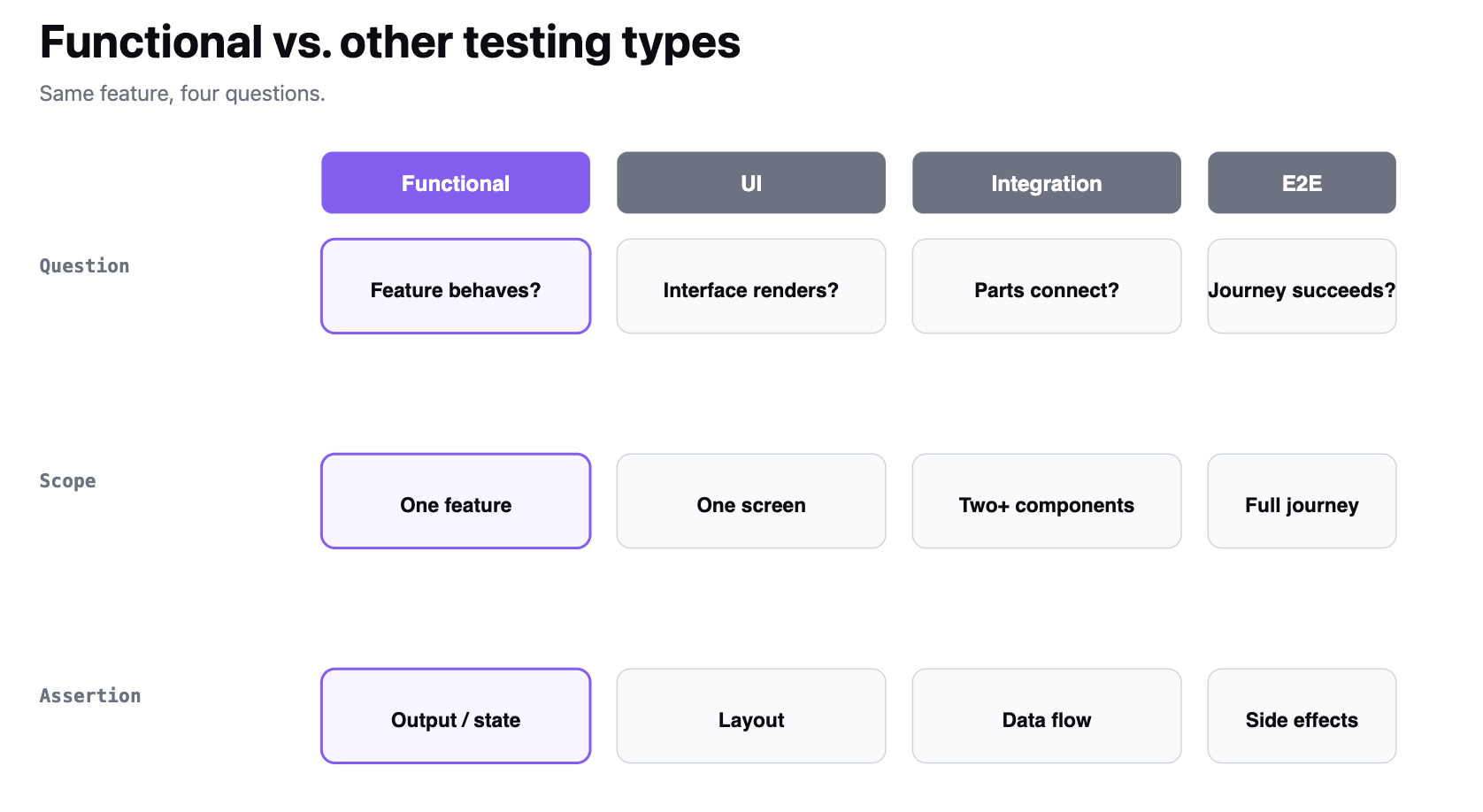
The four types overlap but each answers a distinct question. Conflating them is why so many mobile test suites become bloated and slow.
A single feature say, "add a card to wallet" can be tested at all four levels. The functional test asserts card ends up in wallet. The UI test asserts card-entry screen renders. The integration test asserts tokenized card lands in payments service. The E2E test asserts a user can go from onboarding to first purchase using added card.
Teams that treat these as interchangeable end up with slow suites full of E2E tests that fail for unrelated reasons. Functional tests are cheaper, faster, and more diagnostic when a specific feature breaks.
Most mobile apps share a common set of functional surfaces. Drizz's use-cases page catalogs same list from real customer suites. The test suite that covers these covers 80% of risk.
For a fintech app, add card management, transaction history, and dispute flows. For a delivery app, add location tracking and ETA calculation. For a health app, add HealthKit / Google Fit integration and consent flows.
Prioritize by user impact and revenue impact. A checkout functional bug is a revnue incident. A settings-page functional bug is a support ticket.
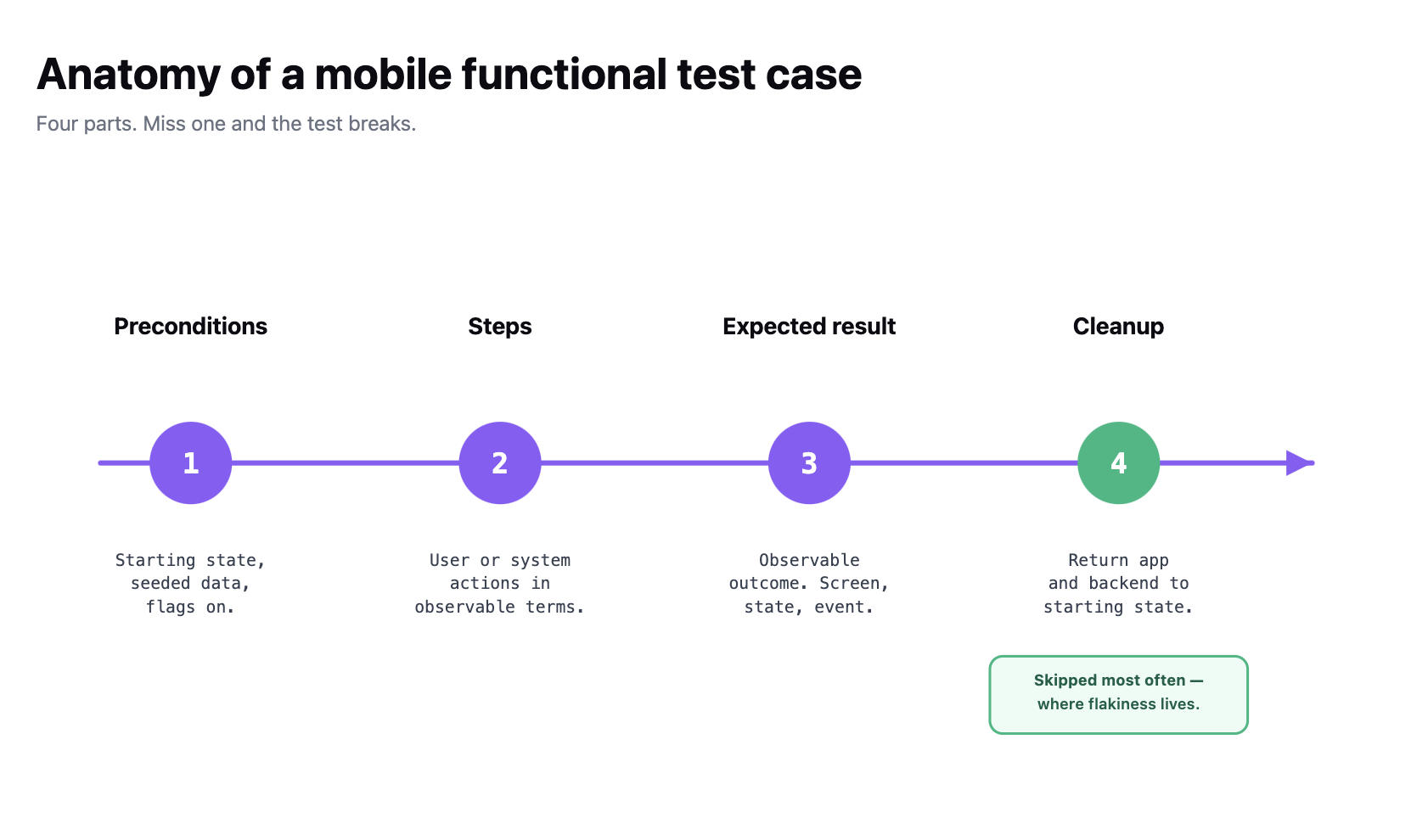
A mobile functional test case follows same four-part template as any test case for a mobile app, and ISO/IEC/IEEE 29119 family of standards codifies same four-part shape. Missing any of them and test either can't run or can't be trusted.
A well-written mobile functional test case reads like a user story with numbers. Bad functional tests read like implementation notes with a "assert true" at end. Drizz's authoring rules codify this: describe intent in app's exact visible wording, keep paraphrasing out.
Three worked examples across common surfaces. Each keeps preconditions, steps, expected result, and cleanup explicit.
Example 1 Biometric login on iOS
Example 2 Adding an item to cart in an offline state
Example 3 Push notification opens correct deep link
These are functional tests, not UI tests. They don't assert on button placement or animation timing. They assert on behavior feature does or does not do what requirement says.
Script-based frameworks (Appium, Espresso, XCUITest, Detox) author functional tests by pinning to UI locators. That works until UI changes. Every rename, every layout shift, every dark-mode variant risks locator drift, and maintenance cost is paid by whoever wrote test.
Vision-based automation shifts authoring model. The test describes feature in plain English "log in with Face ID, add a saved card to wallet, verify card appears in wallet list" and engine matches screens visually rather than by selector.
That means a functional test written for iOS 17 works on iOS 18 without a rewrite. A test written before a dark-mode redesign works after it. The test asserts on behavior, which is what functional testing was supposed to do all along.
We built Drizz Vision AI on that model, with two supporting mechanics: caching turns re-runs on same screen into a fraction of cost, and self-healing repairs failed tap, type, or swipe steps mid-run around five attempts per run, badged in report.
Any test that genuinely needs to assert on visual detail a specific color, a pixel-exact layout is a UI test, not a functional test, and belongs in a different suite.
Functional tests sit at three points in pipeline, and each answers a different question.
Functional tests are fastest to write and fastest to run of four test types, which is why they should be largest layer of testing pyramid above unit tests. E2E and UI tests should be a smaller top of that pyramid they're valuable but expensive.
A flaky mobile test that claims a feature works one run and fails next is worse than no test at all functional flakes deserve immediate triage. Most turn out to be missing waits after navigation rather than genuine feature regressions.
Mobile functional testing is one of four testing types on mobile functional, UI, integration, and end-to-end and it is defined by asserting on feature behavior against a specified input and starting state.
A mobile functional test case has four parts: preconditions, steps, expected result, and cleanup. The suite should cover authentication, onboarding, core transaction, search, notifications, in-app purchases, deep links, sync, and settings. Prioritization follows user and revenue impact.
Functional tests run in three pipeline positions: smoke on PR CI, full suite nightly, and a full suite plus edge cases on release candidates. The authoring model script-based versus vision-based decides whether suite scales with codebase or fights it.
The output of functional testing is a pass/fail matrix mapped to app's feature list.
A functional test is scoped to one feature or user story and asserts on that feature's behavior checkout completes, card lands in wallet, deep link opens right screen. An E2E test spans multiple features and asserts on full journey onboarding through first purchase. Functional tests are cheaper, faster, and more diagnostic when a specific feature breaks.
Preconditions (starting state, seeded data, feature flags), steps (user or system actions in observable terms, not implementation details), expected result (observable outcome a screen, a data update, a fired notification), and cleanup (return app and backend to starting state so next test doesn't inherit side effects). Missing cleanup is where flaky suites usually originate.
Prioritize by user and revenue impact. Authentication, onboarding, core transaction (buy, book, pay, transfer), search, notifications, in-app purchases, deep links, sync and offline behavior, and account settings. Fintech adds card management and disputes; delivery adds location and ETA; health adds HealthKit / Google Fit and consent flows.
Script-based frameworks (Appium, Espresso, XCUITest, Detox) pay locator maintenance every time UI changes. Vision-based automation asserts on visible behavior instead of selectors, so a test written for iOS 17 typically works on iOS 18 without a rewrite. Maintenance cost decides how much of suite team can afford to keep alive.





©Drizz 2026 • All Rights Reserved






